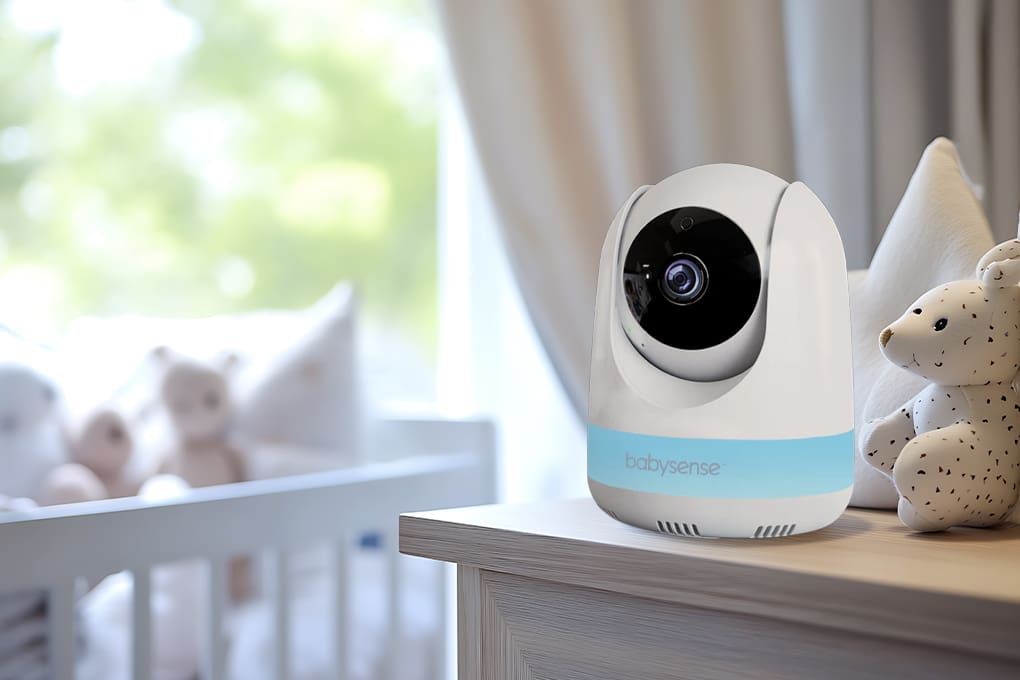

Quick Answer: Baby monitors get hacked because of weak passwords, outdated firmware, insecure Wi-Fi networks, and poorly configured settings. Protecting your nursery requires choosing secure hardware, enabling must-have features like 2FA and AES-256 encryption, isolating devices on guest networks, and maintaining monthly security checks.
Baby monitor hacking isn’t a Hollywood fiction – it’s a documented threat that’s pushed thousands of families to rethink nursery surveillance. One Houston family discovered an intruder shouting obscenities at their sleeping toddler through a hacked monitor, a story that made national headlines and sparked widespread concern about nursery surveillance vulnerabilities.
The explosion of Wi-Fi-enabled monitors has created a perfect storm: convenient remote access paired with often-inadequate security.
Hackers target baby monitors because many parents use default passwords, skip firmware updates, and connect devices to unsecured home networks – essentially leaving digital doors wide open to nurseries.
As more families adopt smart home technology, understanding IoT device security risks becomes critical for protecting connected devices throughout your home.
Table of Contents
Key Takeaways
- Many hacks occur through default credentials, weak Wi-Fi networks, and unpatched firmware vulnerabilities.
- Non-Wi-Fi FHSS monitors offer the lowest attack surface and eliminate remote hacking risk entirely.
- Wi-Fi monitors can be secure when they use AES-256 encryption, mandatory 2FA, local storage options, and secure boot.
- Safe setup requires changing default credentials, updating firmware, enabling 2FA, and disabling unused features.
- Monthly security checks help detect breaches early and maintain long-term protection.
- Browse Batten for secure networking tools, router recommendations, and expert cybersecurity support.
Baby Monitor Hacking Methods
Before you can defend your nursery, you need to understand how attackers actually breach baby monitors. The methods vary significantly between Wi-Fi-connected and radio-based systems, each presenting unique vulnerabilities that parents must address.
How Attackers Access Wi-Fi Baby Monitors
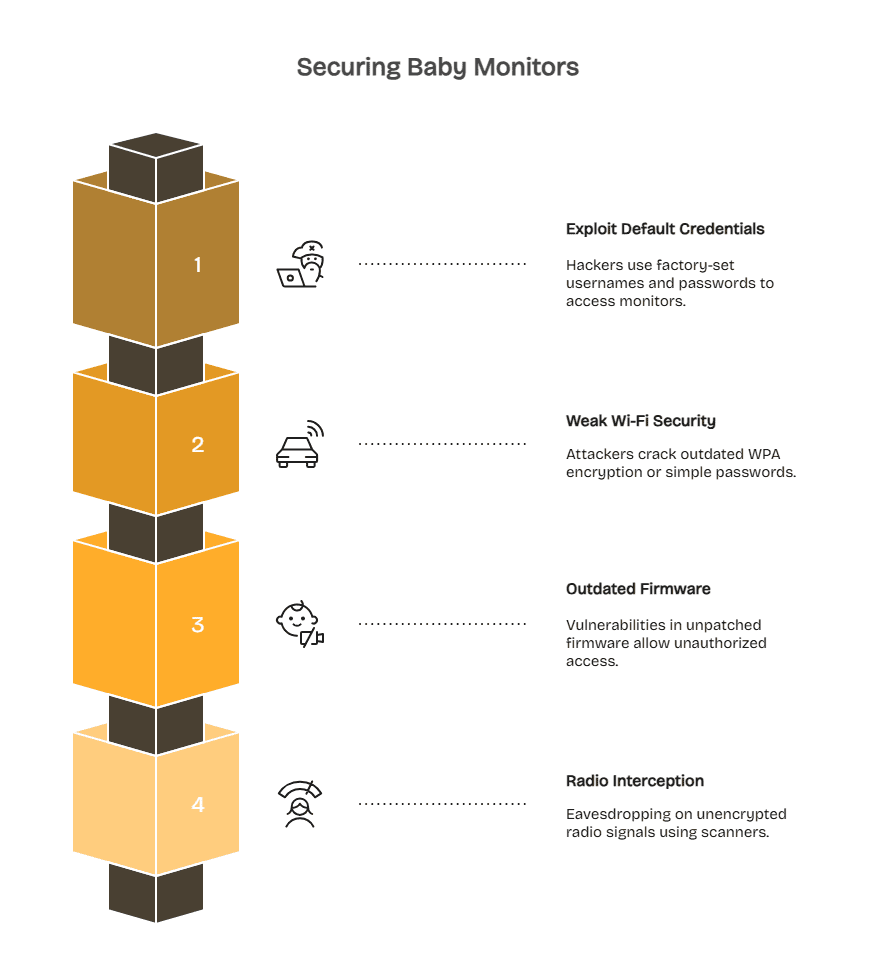
Cybercriminals target Wi-Fi baby monitors because they offer easy entry points into home networks and often rely on weak security settings. Most breaches occur through predictable vulnerabilities that families can address with a few key precautions.
Exploiting Default Credentials and Credential Stuffing
Hackers breach internet-connected baby monitors through three primary attack vectors. The most common method exploits default credentials-factory-set usernames and passwords that manufacturers publish in user manuals available online.
Security researchers have found that a hacker named SydeFX discovered 300 vulnerable Nest cameras in under 10 minutes using credential stuffing, which involves trying previously exposed username and password combinations on fresh targets.
Weak Home Wi-Fi Security
The second attack vector targets weak network security. When your home Wi-Fi uses outdated WPA encryption or simple passwords like “password123,” attackers sitting in parked cars can crack network access within minutes using readily available hacking tools.
Once inside your network, they scan for connected devices including baby monitors, smart locks, and security cameras. Learning about securing your home Wi-Fi network provides the foundation for protecting all connected devices.
Outdated Firmware and Unpatched Vulnerabilities
Firmware vulnerabilities create the third entry point. Baby monitor manufacturers occasionally discover security flaws in device software – bugs that allow unauthorized access even with strong passwords.
When companies release firmware patches to fix these holes, monitors that don’t update automatically remain vulnerable indefinitely. Outdated firmware has been exploited in large-scale IoT attacks targeting home devices, demonstrating why automatic updates matter for every connected device in your home.
Radio-Based Monitor Interception Risks
Older analog baby monitors transmit over basic radio frequencies, making them vulnerable to eavesdropping. Attackers within 300-500 feet can intercept these unencrypted signals using inexpensive radio scanners, meaning a nearby neighbour or someone parked outside could listen in without accessing your network.
Modern digital monitors using FHSS technology, such as the VTech VM321, hop between frequencies thousands of times per second, preventing scanners from locking onto the signal. Security experts note that interception would require specialized, military-grade equipment.
While non-internet monitors offer far lower hacking risk because attackers must be physically nearby, they trade security for convenience. You can’t check these monitors remotely, but the reduced attack surface makes them far safer than fully internet-connected models.
Choosing Secure Baby Monitors
Not all baby monitors are created equal when it comes to security. The choice between Wi-Fi connectivity and local-only transmission fundamentally changes your threat model, while specific security features determine how well monitors resist attacks.
Non-Wi-Fi Monitors: Maximum Security With Zero Internet
Local-only baby monitors eliminate remote hacking entirely by never connecting to the internet. These systems create a closed loop between camera and parent unit using dedicated digital frequencies, typically FHSS or DECT technology that provides encrypted local transmission.
Top Non-Wi-Fi Secure Options
- VTech VM321: FHSS with rapid frequency hopping creates a highly secure local signal. The 2.8-inch parent unit shows 480p video with two-way audio, pan/tilt control, and 10-hour battery life. Works during internet outages and requires no subscriptions.
- Infant Optics DXR-8 Pro: A 720p FHSS monitor with interchangeable lenses (wide, normal, zoom) and a 5-inch parent unit. Includes temperature monitoring and white noise. Completely offline for added privacy.
- BabySense MaxView: Award-winning FHSS model with split-screen viewing for two cameras on a 5.5-inch display. Offers a 1,000-foot range, supports up to four cameras, and has no monthly fees – great for multi-room monitoring.
Visit Batten to find simple, trusted tools that keep your family safe online.
Wi-Fi Monitors: Convenience With Proper Encryption
Internet-connected monitors trade some security for powerful remote access and smart features. When properly configured, modern Wi-Fi monitors with strong encryption rival traditional systems in protection while adding sleep tracking, multi-user access, and away-from-home monitoring.
Security Features That Matter
Here are the most important security features your baby monitors should have.
256-bit AES Encryption: Military-grade encryption scrambles video streams so intercepted data appears as random noise without decryption keys. The Nanit Pro uses 256-bit AES encryption, the same encryption standard used by the US government and banks for transaction security. Verify encryption strength in product specifications – anything less than 256-bit AES is inadequate for 2025.
Mandatory Two-Factor Authentication (2FA): 2FA requires a second verification step beyond passwords when logging into baby monitor apps. Even if hackers steal your password through a phishing scam, they can’t access your camera without also compromising your phone.
Nanit enforces 2FA for all accounts with mandatory two-factor authentication on the app, while many competing brands make it optional, which most parents skip enabling. Implementing strong authentication methods across all accounts creates defense-in-depth protection.
Local Storage Options: Monitors like Harbor and Eufy SpaceView store recordings directly on the parent unit or local SD cards instead of uploading everything to cloud servers. Local storage means your baby’s video never leaves your home network, eliminating third-party access risks.
Secure Boot Protection: Advanced monitors implement secure boot – a technology that prevents unauthorized firmware from loading during device startup. This blocks hackers from installing malicious software even if they briefly access your monitor. Harbor specifically advertises mutual TLS (mTLS) authentication for verified secure connections between camera and parent unit.
Red Flags: Monitors To Avoid
Several warning signs indicate inadequate security before purchase. Knowing what to watch for helps parents avoid vulnerable products that put nurseries at risk.

Watch Out For
- No Encryption Mentioned: If product descriptions don’t explicitly state encryption type (AES-256, TLS 1.3), assume it’s either weak or nonexistent. Reputable manufacturers prominently advertise encryption strength.
- Optional 2FA: Security features should be mandatory, not optional settings most users skip. If two-factor authentication isn’t required by default, the manufacturer prioritizes convenience over protection. Consumer Reports testing found that most baby monitors receive middling marks for security because they don’t require complex passwords or multifactor authentication.
- Outdated Firmware: Check manufacturer websites for latest update dates. Brands that haven’t released firmware updates in 12+ months likely aren’t patching newly discovered vulnerabilities. Active security maintenance requires regular updates.
- Cloud-Only Storage: Monitors forcing all recordings to manufacturer cloud servers with no local option give companies (and hackers who breach them) access to your nursery footage. Insist on local storage capability.
Browse Batten’s secure wireless router guide to ensure your home network provides a strong foundation for any Wi-Fi baby monitor.
Setup Security: First 30 Minutes Are Critical
The initial setup is the most important window for securing your baby monitor. Lock it down before placing it in the nursery.
Immediate Steps After Unboxing
- Change Default Credentials: Create strong, unique usernames and passwords. Never reuse passwords from other accounts.
- Update Firmware: New devices often ship with outdated software. Install all available updates and enable auto-updates.
- Enable Two-Factor Authentication: Use an authenticator app (not SMS) whenever the monitor supports it.
- Disable Unnecessary Features: Turn off cloud recording, remote control, guest access, and any functions you won’t use.
Network Isolation
- Use a guest or IoT network to keep the monitor separate from phones, laptops, and sensitive data.
- Enable WPA3 or WPA2 encryption and set a unique network password.
- Avoid connecting personal devices to the IoT network to maintain isolation.
- Consider an IoT security device (like Firewalla or CUJO AI) if you want alerts for suspicious activity.
Ongoing Protection: Monthly Maintenance Checklist
Baby monitor security isn’t set-and-forget. A quick monthly check keeps vulnerabilities from building up and helps you catch issues early.
Monthly Health Checks
- Confirm Firmware Updates: Auto-updates can fail, so verify your monitor is on the latest version. Update immediately if you’re behind.
- Rotate Passwords Every 90 Days: Change your monitor password regularly, especially after any security news involving your device manufacturer.
- Audit Connected Users: Remove access for past babysitters, visiting relatives, or anyone who no longer needs it. Forgotten accounts create easy entry points.
- Review Router Security: Update router firmware, scan for unknown devices, and confirm your monitor is still isolated on the guest or IoT network.
- Test Alert Functions: Walk into the room, make noise, and confirm motion and sound alerts reach your phone. Broken notifications leave you blind to outages or unauthorized access.
Signs Your Monitor May Be Compromised
- Camera moves on its own
- Voices, music, or static you didn’t initiate
- Password reset emails or settings changes you didn’t make
- Unusual spikes in bandwidth usage
- Rapid battery drain on wireless parent units
Immediate Actions If You Suspect a Breach
- Disconnect the monitor from power and Wi-Fi
- Change your login credentials from a separate, secure device
- Factory reset and install the latest firmware
- Update your Wi-Fi password to force all devices to reconnect
- Review recent camera activity for suspicious access
- Contact your device manufacturer’s security team
- Consider switching to a non-Wi-Fi monitor if you want to eliminate remote attack risk entirely
Consider switching to a non-Wi-Fi monitor if you’ve experienced a security incident – eliminating internet connectivity removes remote attack possibilities entirely.
Advanced Security: Beyond Basic Protection
Once basic protections are in place, additional layers create defense-in-depth that stops sophisticated attacks other families might miss.
VPN Protection for Home Networks
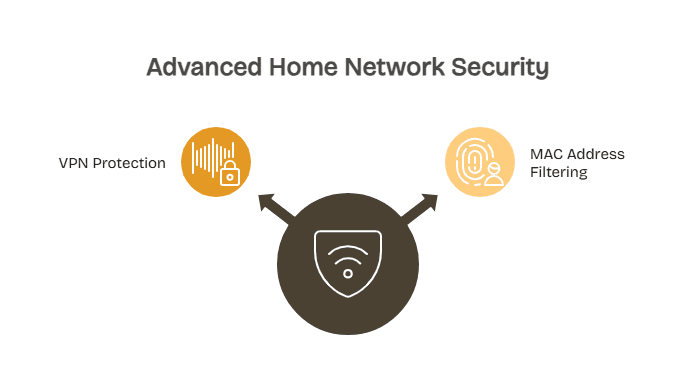
Virtual Private Networks encrypt all traffic between your devices and the internet, creating a secure tunnel that prevents ISP snooping and man-in-the-middle attacks targeting your baby monitor data. Setting up a VPN at the router level protects all connected devices automatically.
Compatible routers (ASUS, Netgear Nighthawk, GL.iNet) support VPN client mode, routing all home traffic through services like NordVPN or ExpressVPN. This prevents attackers from intercepting unencrypted data packets between your monitor and cloud servers, even on compromised networks.

Understanding VPN benefits for home networks helps families decide if this added protection makes sense for their security needs.
Router-level VPN setup requires technical comfort – you’ll access router admin panels, enter VPN server details, and configure encryption protocols. Most VPN providers offer step-by-step guides for popular router models, and setup typically takes 15-30 minutes.
Trade-offs: VPNs reduce internet speeds by 10-30% due to encryption overhead. If your connection is already slow, this could cause video streaming lag on your baby monitor app.
MAC Address Filtering
MAC (Media Access Control) addresses uniquely identify network devices, functioning like digital fingerprints. Configuring your router to allow only authorized MAC addresses prevents unknown devices from joining your network even if they have the Wi-Fi password.
This advanced technique adds another security layer that stops casual attackers who might crack weak Wi-Fi passwords but can’t bypass device-level access controls.
Access your router’s security settings and locate MAC address filtering (sometimes called “Access Control” or “Device Whitelist”). Add your baby monitor’s MAC address to the approved list, along with phones, tablets, and computers. Enable the filter to block all non-listed devices.
Find your monitor’s MAC address in device settings or on a sticker on the hardware. It appears as six pairs of hexadecimal characters separated by colons: A1:B2:C3:D4:E5:F6
Securing Your Digital Nursery: Taking Action Today
Parents face a choice between two valid security philosophies: absolute privacy through non-Wi-Fi local monitors (VTech, Infant Optics, BabySense) or secured convenience through properly configured Wi-Fi monitors (Nanit, Harbor, Eufy).
Neither approach is wrong; they serve different family priorities. Local-only monitors eliminate remote hacking entirely but sacrifice away-from-home monitoring. Wi-Fi monitors with strong encryption provide flexibility while requiring security diligence.
The monitors that fail families are those with weak security that parents don’t configure properly – default passwords, disabled 2FA, outdated firmware, and placement on unsecured networks. Even the most secure monitor becomes vulnerable through careless setup and neglected maintenance.
Protect your baby’s nursery by choosing a secure monitor, configuring it properly from day one, and maintaining security hygiene through regular checkups. Browse Batten’s cybersecurity solutions for encrypted networking equipment, parental control tools, and expert security guidance that keeps your entire family safe online.
Frequently Asked Questions
Can Non-Wi-Fi Baby Monitors Still Be Hacked or Intercepted?
Modern non-Wi-Fi monitors using FHSS or DECT technology are virtually unhackable remotely because they don’t connect to the internet. Older analog monitors can be intercepted by someone within 300-500 feet using radio scanning equipment, but FHSS systems hop between 1,000+ frequencies thousands of times per second, making interception require military-grade equipment and expertise far beyond typical hacker capabilities.
Should I Put My Baby Monitor on a Separate Wi-Fi Network?
Yes, guest network isolation prevents compromised baby monitors from exposing banking apps, work files, or personal data on your main network. If hackers breach your monitor, they can’t pivot to other devices when it’s isolated. Most routers support guest networks in admin settings – create one for all IoT devices including monitors, smart speakers, and connected thermostats to limit potential damage from any single compromised device.
How Often Should I Change My Baby Monitor Password?
Change passwords every 90 days as standard security practice, or immediately if your monitor manufacturer announces a data breach. Use a password manager to generate unique 12+ character passwords combining letters, numbers, and symbols. Never reuse passwords from other accounts – if your email gets breached, attackers will try those credentials on your baby monitor.
Are Expensive Baby Monitors More Secure Than Budget Options?
Not always – price correlates weakly with security. The $300 Nanit Pro implements mandatory 2FA and 256-bit encryption, but so does the $160 Eufy SpaceView. Budget monitors from unknown manufacturers often lack basic security, while established brands prioritize security regardless of price point. Check for specific features (encryption type, 2FA, firmware updates) rather than assuming price equals protection.
Do I Need Antivirus Software on My Baby Monitor?
Baby monitors don’t support traditional antivirus installation, but your home network benefits from router-level protection through services like NETGEAR Armor or Bitdefender Box that scan traffic for malware targeting IoT devices. These solutions detect and block attacks against all connected devices including monitors, smart locks, and security cameras without requiring software on each device.
What Should I Do If My Baby Monitor Was Hacked?
Immediately disconnect power and Wi-Fi to stop data transmission. Factory reset the monitor, update firmware before reconnecting, and change your password from a device not on your home network. Change your Wi-Fi password to force all devices to reauthenticate. Report the incident to your monitor manufacturer’s security team and consider switching to a non-Wi-Fi local monitor if concerned about future breaches.
Can Someone Watch My Baby Monitor Without Me Knowing?
Yes, if your monitor lacks proper encryption or you’re using default passwords. Attackers can view feeds silently unless you notice suspicious signs like increased data usage, unexpected battery drain, or camera movements you didn’t initiate. Enabling mandatory 2FA and checking access logs monthly in your monitor app helps detect unauthorized viewing. Non-Wi-Fi monitors eliminate this risk entirely.
Sources
- Harbor | The most reliable, secure baby monitor on the market.
- Best Baby Monitor Buying Guide – Consumer Reports
- 7 Best WiFi and Non-WiFi Baby Monitors of 2025, Tested
- Prevent Predators from Hacking Your Baby Monitor | SafeHome.org
- Why the Babysense Max View Consistently Wins Best Non-WiFi Baby Monito