
Quick Answer: The best password manager for personal use is 1Password for its polished cross-platform experience, NordPass for budget-conscious users, Dashlane for built-in VPN coverage, and Bitwarden for anyone who wants a free, open-source option with no device limits.
Most people know they should use unique passwords for every account. Almost nobody actually does. A 2025 Cybernews analysis of over 19 billion leaked passwords found that 94% were reused or duplicated – and nearly half (46%) of Americans had a password stolen in 2024 alone.
The problem isn’t willpower. It’s memory. You can’t remember 200 unique, complex passwords, and you shouldn’t have to. A personal password manager does the remembering for you, generating and storing strong credentials in an encrypted vault that only you can unlock.
Stolen credentials now drive 22% of all data breaches, according to Verizon’s 2025 Data Breach Investigations Report. A password manager is the single most effective step most individuals can take to close that door.
This guide covers the best password managers for personal use in 2025 – what they cost, what they protect, and which one fits your situation.
Table of Contents
- Key Takeaways
- What to Look for in a Personal Password Manager
- The Best Password Managers for Personal Use in 2026
- Password Manager Comparison Table
- Annual Cost Comparison
- Should You Pay for a Password Manager or Use a Free Option?
- Password Manager vs. Browser Password Manager: What’s the Difference?
- Are Password Managers Safe? Understanding the Risks
- Making the Right Password Manager Choice
- Frequently Asked Questions
- Sources
Key Takeaways
- The best personal password manager is 1Password for its balance of security, usability, and cross-platform coverage – with NordPass, Dashlane, Keeper, and Bitwarden as strong alternatives depending on your budget and priorities.
- Users with password managers are nearly half as likely to experience identity theft (17%) compared to those without one (32%), according to Security.org’s Password Manager Industry Report.
- Dashlane discontinued its free plan in September 2025 – if you need free, Bitwarden remains the strongest option with unlimited passwords and unlimited devices at no cost.
- AES-256 encryption and a zero-knowledge architecture are the minimum security standards any personal password manager should meet; several on this list also undergo independent third-party audits.
- Browse Batten’s password manager collection for expert-vetted options with current pricing and setup guides.
What to Look for in a Personal Password Manager
Before getting into specific products, here is what actually separates good password managers from great ones for personal use:
Security Architecture and Encryption
Zero-knowledge encryption is non-negotiable. This means the password manager provider cannot see your vault contents – your data is encrypted on your device before it ever leaves it. Look for AES-256-bit encryption, which is the same standard used to protect classified government data.
Independent security audits matter more than marketing claims. NordPass has been audited by security firm Cure53. 1Password has undergone multiple independent audits. Bitwarden publishes its code on GitHub so anyone can inspect it. Dashlane and Keeper both maintain SOC 2 compliance.
Cross-Platform Compatibility and Sync
A password manager that only works on your iPhone is only half a solution. The best personal password managers sync seamlessly across Windows, Mac, iOS, Android, and all major browsers – Chrome, Firefox, Safari, and Edge. You should be able to pull up a password from your phone while logged into your laptop without friction.
Autofill Reliability
Password managers live or die on autofill. A strong autofill function captures login credentials the first time you enter them, fills them automatically on return visits, and works across apps – not just browsers. On mobile, this means integration with iOS’s AutoFill Passwords feature and Android’s Autofill Framework.
Password Generator and Health Monitoring
Strong password generators create unique credentials on demand – typically 12-20+ characters mixing uppercase, lowercase, numbers, and symbols. Password health tools scan your vault for weak, reused, or compromised credentials. Dark web monitoring alerts you when your email or credentials appear in known breach databases.
Pricing and Free Plan Reality
The password manager market has shifted. Dashlane dropped its free plan in September 2025. NordPass still offers free single-device access. Bitwarden offers the most generous free plan in the category – unlimited passwords and devices at no cost. Paid plans across the category range from roughly $1.65/month (Bitwarden Premium) to $4.99/month (1Password Individual, as of June 2026).
The Best Password Managers for Personal Use in 2026
1Password: Best Overall for Personal Use
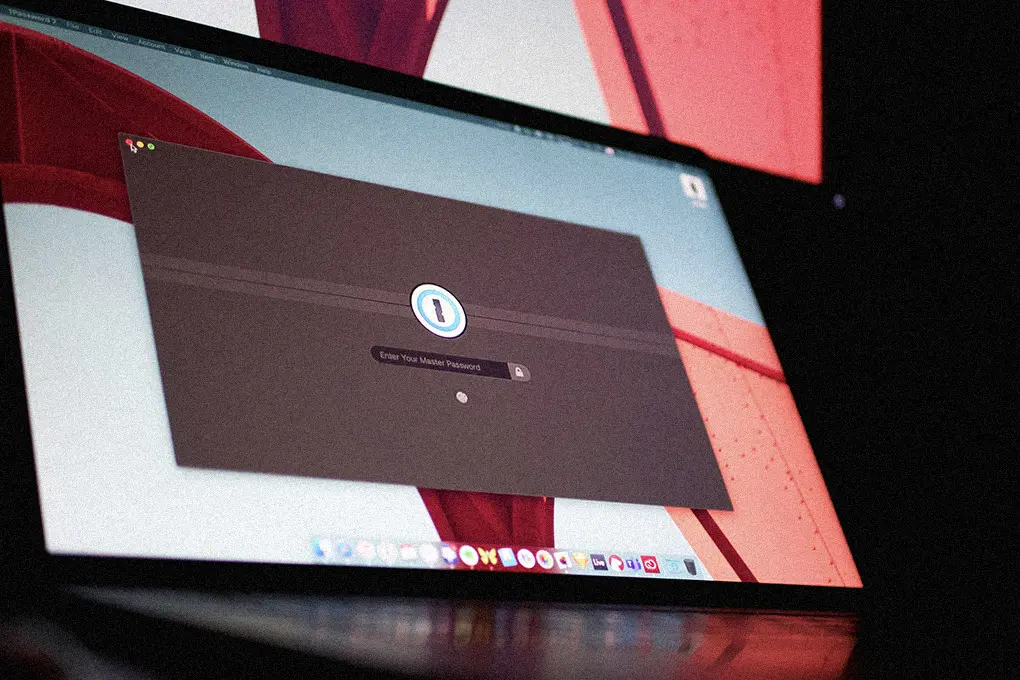
1Password consistently earns the top spot in independent testing for good reason. Its zero-knowledge architecture, polished apps across every platform, and unique Travel Mode – which temporarily removes selected vaults when crossing borders – make it a standout for serious personal security.
1Password at a Glance
- Price: $3.99/month billed annually ($47.88/year) as of June 2026
- Key Feature: Travel Mode, Watchtower breach monitoring, 1GB encrypted document storage
- Devices: Unlimited simultaneous connections
- Platforms: Windows, Mac, iOS, Android, Linux, Chrome, Firefox, Safari, Edge
- Best For: Cross-platform power users and Apple ecosystem households
- Buy: 1Password on Batten

The Watchtower feature is what separates 1Password from simpler alternatives. It continuously scans your vault against known breach databases, flags password reuse across accounts, identifies weak credentials, and alerts you to sites that now support two-factor authentication. In testing, it caught compromised credentials faster than manual checks.
1Password uses AES-256 encryption combined with a Secret Key – a locally generated 128-bit security layer that supplements your master password. Even if someone obtained your encrypted vault data, they would need both your master password and your Secret Key to decrypt it.
The Families plan at $5.99/month covers up to 5 members with shared vaults, permission controls, and individual private vaults – a strong value for households.
For a detailed breakdown, read Batten Cyber’s full 1Password review.
Pros and Cons
Pros:
- Travel Mode hides selected vaults at border crossings – a feature no competitor matches
- Watchtower monitors for breaches, weak passwords, and sites newly supporting 2FA
- Unlimited devices and clean, consistent apps across all major platforms
- Secret Key provides an additional layer of protection beyond the master password
Cons:
- No free tier – 14-day trial requires credit card information
- Price increased 33% in March 2026, making it more expensive than most alternatives
- Bitwarden and NordPass offer comparable core security at lower annual cost
NordPass: Best Budget-Friendly Option With Free Plan
Built by the team behind NordVPN, NordPass uses XChaCha20 encryption – a more modern algorithm than the AES-256 used by most competitors. It hasn’t suffered a breach since launching in 2019, operates from Panama (outside major surveillance alliances), and offers a genuinely useful free tier.
NordPass at a Glance
- Price: $1.59/month (2-year plan) to $1.99/month (1-year plan); free tier available
- Key Feature: XChaCha20 encryption, data breach scanner, email masking
- Devices: 6 simultaneous connections (Premium)
- Platforms: Windows, Mac, iOS, Android, Chrome, Firefox, Safari
- Best For: Budget-conscious users who want modern encryption and a free option
- Buy: NordPass Premium on Batten

NordPass’s free plan includes unlimited passwords, autosave, and autofill – but limits you to one active device at a time. Premium unlocks multi-device sync, data breach scanning, and emergency access. The price-to-feature ratio is hard to beat.
The data breach scanner checks your stored credentials against known breach databases and alerts you to compromised accounts. Combined with a built-in password health checker that identifies weak and reused passwords, NordPass gives budget users most of what premium competitors charge significantly more for.
One note: if you already subscribe to NordVPN Plus or Ultimate, NordPass is included – no additional cost.
Pros and Cons
Pros:
- XChaCha20 encryption is more modern and computationally efficient than AES-256
- Free plan available with unlimited passwords (single device limit)
- Panama headquarters keeps user data outside Five Eyes surveillance jurisdictions
- Bundles with NordVPN for comprehensive privacy coverage
Cons:
- Free plan restricts to one active device – switching requires logging out
- Fewer advanced features than 1Password or Keeper at the premium tier
- No built-in VPN (requires separate NordVPN subscription for that coverage)
Dashlane: Best for Built-In VPN and Dark Web Monitoring
Dashlane discontinued its free plan in September 2025, making it a paid-only product – but the Premium plan bundles Hotspot Shield VPN, real-time phishing alerts, and dark web monitoring in a single subscription. For users who don’t already have a standalone VPN, that bundle has real value.
Dashlane at a Glance
- Price: $4.99/month (Premium, billed annually) as of June 2026
- Key Feature: Built-in Hotspot Shield VPN, real-time phishing alerts, passwordless login
- Devices: Unlimited
- Platforms: Windows, Mac, iOS, Android, Chrome, Firefox, Safari, Edge
- Best For: Users who want password management and VPN coverage in one subscription
- Buy: Dashlane on Batten

Dashlane’s real-time phishing alert is a standout feature. It warns you when autofill is triggered on a site that doesn’t match the stored domain – a meaningful protection against credential-harvesting sites that mimic legitimate login pages. This catches attacks that traditional spam filters miss entirely.
The Friends & Family plan at $7.49/month covers up to 10 users – the largest family allocation in the category. For a head-to-head breakdown, see Batten Cyber’s Dashlane vs Keeper comparison.
Pros and Cons
Pros:
- Built-in VPN (Hotspot Shield) adds privacy protection without a separate subscription
- Real-time phishing alerts catch credential-harvesting attempts that keyword filters miss
- Passwordless login support and 30-day money-back guarantee on all plans
- Friends & Family plan supports up to 10 users – the most in the category
Cons:
- No free tier since September 2025 – most expensive personal option on this list
- Some mobile apps lack the Secure Notes feature available on desktop
- Annual billing only – no monthly payment option for flexibility
Keeper: Best for Tight Security Controls and Vault Organization
Keeper has earned a reputation as one of the most security-rigorous password managers available to consumers. Its zero-knowledge architecture, SOC 2 certification, and FIDO2/WebAuthn hardware key support appeal to users who want enterprise-grade controls without managing IT infrastructure.
Keeper at a Glance
- Price: $1.79/month (Personal, billed annually); free plan limited to one mobile device and 10 records
- Key Feature: Granular sharing controls, folder organization, hardware security key support
- Devices: Unlimited (Premium)
- Platforms: Windows, Mac, iOS, Android, Linux, Chrome, Firefox, Safari, Edge, IE
- Best For: Security-focused users who want granular sharing controls and organized vaults
- Buy: Keeper on Batten

Keeper’s folder and subfolder organization beats every competitor on this list for users managing large credential sets – multiple email accounts, work and personal logins, shared family accounts. You can create granular sharing permissions at the folder level, granting specific people access to specific credentials without exposing the full vault.
Keeper supports the widest range of 2FA options: TOTP authenticator apps, SMS, hardware keys (YubiKey, FIDO2), biometric authentication, and Keeper’s own DNA feature that sends push notifications. For users who prioritize layered authentication, no competitor matches Keeper’s options.
One drawback: dark web monitoring (BreachWatch) costs extra as an add-on rather than being included in the base plan. For a full feature comparison, see Batten Cyber’s Bitdefender vs Bitwarden analysis for context on how security-focused managers compare.
Pros and Cons
Pros:
- Zero-knowledge architecture with SOC 2 Type 2 compliance and GDPR/HIPAA certifications
- Most comprehensive 2FA support including hardware keys and biometric authentication
- Granular folder sharing – share specific credentials without exposing full vault
- Competitive Personal plan pricing at $1.79/month annually
Cons:
- BreachWatch dark web monitoring costs extra rather than included in base plan
- Free plan is severely limited (10 records, one mobile device only)
- Import from other password managers occasionally misses records in testing
Bitwarden: Best Free Password Manager (and Open-Source Option)
Bitwarden is the strongest argument for not paying for a password manager. The free plan includes unlimited passwords, unlimited devices, passkey management, and AES-256 zero-knowledge encryption – with no catch. Its code is open source and published on GitHub, allowing independent security researchers worldwide to audit it continuously.
Bitwarden at a Glance
- Price: Free forever; Premium $1.65/month ($19.80/year) as of June 2026
- Key Feature: Open-source, self-hosting option, unlimited free plan with unlimited devices
- Devices: Unlimited (all plans)
- Platforms: Windows, Mac, iOS, Android, Linux, Chrome, Firefox, Safari, Edge, Opera
- Best For: Privacy advocates, budget users, and tech-savvy individuals who want open-source transparency
Bitwarden’s free plan is genuinely competitive with what most services charge for. You get unlimited vault items across unlimited devices, secure sharing with one other user, a password generator, and two-factor authentication support. The open-source model means security researchers around the world can – and do – inspect its code regularly.
Premium adds built-in TOTP authentication (turning Bitwarden into a 2FA authenticator as well as a password manager), emergency access, 1GB encrypted storage, and USB hardware key support via YubiKey – all for $19.80/year. That’s less than a single month of Dashlane Premium.
The main trade-off is usability. Bitwarden’s interface is less polished than 1Password or Dashlane, and setup takes slightly more effort. For tech-comfortable users, that’s a non-issue. For seniors or those new to password managers, the learning curve is worth noting. For tips on getting started, Batten Cyber’s easy guide to using a password manager walks through the setup process step by step.
Pros and Cons
Pros:
- Open-source code means independent, continuous security auditing by the global research community
- Free plan includes unlimited passwords on unlimited devices – no device restrictions
- Premium at $19.80/year is the lowest-cost paid plan in the category
- Self-hosting option for users who want complete control over their data storage
Cons:
- Interface is less polished than 1Password or Dashlane – steeper learning curve for non-technical users
- Sharing is limited to one user on Free and Premium (Families plan required for group sharing)
- No built-in phishing alerts or VPN – security-focused extras require separate tools
Password Manager Comparison Table
| Feature | 1Password | NordPass | Dashlane | Keeper | Bitwarden |
| Price (Annual) | $47.88/yr | $23.88/yr | $59.88/yr | $21.48/yr | Free / $19.80/yr |
| Free Plan | No (14-day trial) | Yes (1 device) | No | No (10 records) | Yes (unlimited) |
| Encryption | AES-256 + Secret Key | XChaCha20 | AES-256 | AES-256 | AES-256 |
| Devices | Unlimited | 6 (Premium) | Unlimited | Unlimited | Unlimited |
| Dark Web Monitoring | Yes (Watchtower) | Yes | Yes | Add-on | Yes (Premium) |
| Built-In VPN | No | No | Yes | No | No |
| Passkeys | Yes | Yes | Yes | Yes | Yes |
| 2FA Support | Authenticator + hardware keys | Authenticator + hardware keys | Authenticator + hardware keys | Authenticator + hardware keys + SMS | Authenticator + hardware keys |
| Open Source | No | No | No | No | Yes |
| Independent Audits | Yes (multiple) | Yes (Cure53) | Yes (SOC 2) | Yes (SOC 2) | Yes (annual) |
| Best For | Overall excellence | Budget + privacy | VPN bundle | Security controls | Free + open source |
Annual Cost Comparison
| Password Manager | Monthly Rate | Annual Cost | Best Value Plan |
| Bitwarden Free | $0 | $0 | Free forever |
| Bitwarden Premium | $1.65/month | $19.80/year | Annual (only option) |
| Keeper Personal | $1.79/month | $21.48/year | Annual |
| NordPass Premium | $1.99/month | $23.88/year | 2-year at $1.59/month |
| 1Password Individual | $3.99/month | $47.88/year | Annual |
| Dashlane Premium | $4.99/month | $59.88/year | Annual |
The cost gap between budget and premium options has widened in 2026. Bitwarden Premium and Keeper Personal deliver strong security for under $25/year. 1Password and Dashlane charge $47-$60/year for additional polish, extra features, and ecosystem benefits. For most personal users, the cheaper options cover all the security essentials.
Should You Pay for a Password Manager or Use a Free Option?
The free vs. paid question depends on what you need beyond secure storage and autofill.
Bitwarden’s free plan covers everything most individuals need: unlimited passwords, unlimited devices, a password generator, and strong encryption. If budget is a concern, start there.
Pay for a password manager when you want dark web monitoring that actively scans breach databases, emergency access that lets a trusted person recover your vault if you’re incapacitated, advanced 2FA options including hardware security keys, or built-in extras like a VPN (Dashlane) or Travel Mode (1Password).
The FBI’s 2024 Internet Crime Report documented $16.6 billion in losses to cybercrime – a record high. The cost of a premium password manager subscription is, at most, $60/year. That math is easy.
Password Manager vs. Browser Password Manager: What’s the Difference?
Chrome, Safari, Firefox, and Edge all offer built-in password management. They’re better than nothing – but they fall short of dedicated password managers in three key areas.
- Cross-Ecosystem Access: Browser managers work best within their own ecosystem. Your Chrome passwords don’t sync to Safari on iPhone unless you use Google’s Password Manager separately. Apple Passwords (formerly iCloud Keychain) works beautifully within Apple devices but creates friction on Windows or Android. Dedicated password managers sync across all platforms without ecosystem lock-in.
- Security Depth: Browser managers typically lack dark web monitoring, breach alerts, password health reporting, and independent security audits. If your browser password data is compromised through a browser vulnerability, dedicated managers with separate vault encryption provide an additional layer of protection.
- Extra Features: Secure notes, document storage, travel mode, emergency access, and granular sharing controls don’t exist in browser managers. For users managing financial accounts, healthcare logins, or shared household credentials, dedicated tools handle these use cases significantly better.
Pairing a dedicated password manager with strong home network security and two-factor authentication covers most personal security needs without requiring enterprise-grade tools.
Are Password Managers Safe? Understanding the Risks
Password managers do introduce a single point of failure – if someone compromises your master password and gains access to your vault, they have everything. That concern is legitimate and worth addressing directly.
Here’s why the tradeoff still favors password managers: the alternative – reusing passwords, storing them in notes, or using simple passwords – is statistically far more dangerous. Security.org research shows that users with password managers experience identity theft at roughly half the rate of those without.
The risk of a password manager breach is real but manageable. The 2022 LastPass breach – in which encrypted vault data was stolen – highlighted why zero-knowledge architecture and strong master passwords matter. Services like 1Password’s Secret Key, Bitwarden’s open-source auditing, and Keeper’s zero-knowledge design make brute-force decryption of stolen vaults computationally impractical.
To minimize risk: use a unique, strong master password you don’t use anywhere else, enable two-factor authentication on your password manager account, and choose a service with a clean security track record and regular independent audits.
Making the Right Password Manager Choice
The best password manager for personal use is the one you’ll actually use consistently.
If you want the best all-around experience and don’t mind paying: 1Password delivers the most polished apps, the most thoughtful security features, and the strongest track record across platforms.
If budget matters and you want modern privacy architecture: NordPass offers exceptional value with its free plan and XChaCha20 encryption.
If you want VPN coverage bundled in: Dashlane Premium is the only manager on this list that includes a VPN – worth it if you don’t already have one.
If security controls and vault organization are your priority: Keeper sets the standard for granular access and enterprise-grade authentication options.
If free and open-source is what you need: Bitwarden is the clear choice, with no compromises on core security for users willing to invest a little time in setup.
Browse Batten’s full password manager collection to compare current pricing, read expert reviews, and find the option that fits your specific needs.
Ready to secure your accounts with a password manager trusted by security professionals? Explore Batten’s expert-reviewed password managers – from free open-source options to premium tools with dark web monitoring, VPN bundles, and family sharing features.
Frequently Asked Questions
Is a Free Password Manager Good Enough for Personal Use?
Yes – if you choose the right one. Bitwarden’s free plan includes unlimited passwords on unlimited devices, AES-256 zero-knowledge encryption, a password generator, and two-factor authentication support. For most individuals, that covers every essential need. Free plans from NordPass are more restricted (single device at a time), and Dashlane discontinued its free tier in September 2025.
Should I Use Apple Passwords or a Dedicated Password Manager?
Apple Passwords (formerly iCloud Keychain) works well if you stay exclusively within the Apple ecosystem – iPhone, Mac, iPad, Safari. It breaks down when you add a Windows PC, Android device, or Chrome browser into the mix. Dedicated password managers like 1Password and NordPass sync seamlessly across all platforms and operating systems, which makes them the stronger choice for most users.
Can a Password Manager Be Hacked?
Password managers can be breached – the 2022 LastPass incident proved that. However, zero-knowledge encryption means attackers receive encrypted vault data, not readable passwords. Cracking AES-256 encryption with a strong master password is computationally impractical with current hardware. The real risk is a weak master password. Use a long, unique passphrase and enable two-factor authentication to protect your account.
What Happens If I Forget My Master Password?
Most password managers cannot recover your master password – that’s the point of zero-knowledge encryption. Some services offer account recovery options through a trusted contact (1Password’s Emergency Kit, Bitwarden’s Emergency Access feature), which allow a designated person to request vault access after a waiting period. Enable these features during setup. 1Password’s Secret Key adds an additional recovery layer through its Emergency Kit document.
Do Password Managers Support Passkeys?
Yes. 1Password, NordPass, Dashlane, Keeper, and Bitwarden all support passkey storage and management. Passkeys replace traditional passwords with device-based cryptographic keys that are phishing-resistant by design. As more websites adopt passkey authentication, your password manager becomes the secure store for both legacy passwords and next-generation passkeys in a single vault.
Is 1Password Worth It for One Person?
1Password at $47.88/year ($3.99/month) offers strong value if you use multiple devices and platforms regularly, travel internationally, or want Travel Mode and Watchtower’s breach monitoring. If you’re primarily on Apple devices and price is a concern, NordPass or Keeper deliver comparable core security at $21-$24/year. If free is the goal, Bitwarden covers the essentials at no cost.
What Is the Safest Password Manager Available?
No password manager has a perfect security record, but 1Password, NordPass, Dashlane, and Keeper have never suffered a breach. Bitwarden’s open-source architecture allows continuous independent auditing. The “safest” choice depends on your threat model: Bitwarden’s open-source transparency, 1Password’s Secret Key architecture, and NordPass’s Panama jurisdiction (outside surveillance alliances) each address different risk profiles. For most personal users, any of these five options – combined with a strong master password and 2FA – provides excellent protection.
Sources
- “2025 Data Breach Investigations Report,” 2025, Verizon, https://www.verizon.com/business/resources/reports/2025-dbir-data-breach-investigations-report.pdf
- “Password Manager Annual Report,” 2024, Security.org, https://www.security.org/digital-safety/password-manager-annual-report/
- “Federal Bureau of Investigation Internet Crime Report 2024,” 2025, FBI Internet Crime Complaint Center (IC3), https://www.ic3.gov/AnnualReport/Reports/2024_IC3Report.pdf
- “Password Leak Study Unveils Alarming 2025 Trends: 94% of Passwords Reused,” 2025, CyberNews, https://cybernews.com/security/password-leak-study-unveils-2025-trends-reused-and-lazy/
- “160+ Password Statistics in 2026,” 2025, Bright Defense, https://www.brightdefense.com/resources/password-statistics/
- “Top 200 Most Common Passwords 2025,” 2025, NordPass, https://nordpass.com/most-common-passwords-list/
- “Bitwarden Products and Features,” 2025, Bitwarden, https://bitwarden.com/tools-and-features/
- “1Password Pricing Plans,” 2026, 1Password, https://1password.com/pricing/password-manager
- “Dashlane Price and Subscription Costs in 2026,” 2026, Security.org, https://www.security.org/password-manager/dashlane/
- “Best Password Managers of 2026,” 2026, Security.org, https://www.security.org/password-manager/best/
- “NordPass Price and Plan Costs in 2026,” 2026, Security.org, https://www.security.org/password-manager/nordpass/
- “Password Breach Statistics 2026,” 2025, Heimdal Security, https://heimdalsecurity.com/blog/password-breach-statistics/
- “36 Must-Know Password Statistics for 2026,” 2025, Huntress, https://www.huntress.com/blog/password-statistics