
Quick Answer: Dashlane offers better overall value with its built-in VPN, dark web monitoring, and user-friendly interface at $4.99/month, while Keeper delivers lower base pricing at $3.33/month but requires add-ons for features Dashlane includes standard. Browse Batten’s password manager collection for expert-tested solutions that protect your credentials without subscription bloat.
According to the 2025 Verizon Data Breach Investigations Report, stolen credentials remain the primary attack vector in 22% of breaches, with 88% of basic web application attacks involving compromised passwords. Yet 64% of internet users still rely on memory alone to manage logins – a recipe for weak, reused passwords across critical accounts.
Password managers solve this by storing unlimited credentials behind military-grade encryption, requiring only one master password. Dashlane and Keeper dominate the premium tier, but they target different users. Dashlane bundles convenience features most users want. Keeper offers flexibility through à la carte add-ons appealing to power users and businesses.
Table of Contents
- Key Takeaways
- Dashlane vs Keeper: Feature Comparison at a Glance
- Security and Encryption: Both Use Military-Grade Protection
- Pricing: Dashlane Costs More But Includes More
- User Experience: Dashlane Leads in Interface Design
- Advanced Features: Where They Diverge
- Platform Compatibility: Keeper Supports Linux
- Two-Factor Authentication: Keeper Offers More Flexibility
- Business and Enterprise Features
- Password Sharing and Collaboration
- Customer Support: Keeper Responds Faster
- Mobile App Performance
- Migration and Import Process
- Making Your Decision: Which Password Manager Fits Your Needs?
- Choosing the Best Password Manager
- Frequently Asked Questions
- Sources
Key Takeaways
- Dashlane costs more upfront at $4.99/month but includes VPN, dark web monitoring, and 1GB encrypted storage standard – Keeper charges extra for equivalent features at $3.33/month base plus add-ons.
- Both use AES-256 encryption and zero-knowledge architecture, but Keeper’s record-level encryption provides granular security while Dashlane encrypts entire vaults.
- Dashlane discontinued its free plan in September 2025, while Keeper maintains a limited free tier with 10 passwords on mobile only.
- Keeper supports Linux natively and offers more flexible two-factor authentication options, giving it an edge for tech-savvy users and enterprise deployments.
- Explore Batten’s password security guides to understand how often you should update credentials and implement proper password hygiene practices.
Dashlane vs Keeper: Feature Comparison at a Glance
| Feature | Dashlane | Keeper |
| Starting Price | $4.99/month | $3.33/month |
| Free Plan | Discontinued Sept 2025 | 10 passwords, mobile only |
| Built-in VPN | Yes | No (add-on) |
| Dark Web Monitoring | Included | Add-on ($0.42/month) |
| File Storage | 1GB | 10GB (Family plan) |
| 2FA Options | Authenticator, biometric, U2F | Authenticator, biometric, hardware keys |
| Linux Support | No | Yes |
| Business Starting Price | $8/user/month | $2/user/month |
Both managers deliver enterprise-grade protection, but the value equation shifts based on which features you actually use. Dashlane wins for users wanting everything bundled. Keeper appeals to those who prefer paying only for features they need.
Security and Encryption: Both Use Military-Grade Protection
Password security starts with encryption strength, but implementation details separate adequate protection from bulletproof vaults. Both Dashlane and Keeper exceed industry standards, though they achieve zero-knowledge security through slightly different technical approaches that matter most to enterprise security teams and privacy-focused users.
Zero-Knowledge Architecture
Dashlane and Keeper both implement zero-knowledge security – your data encrypts locally on your device before syncing to cloud servers. Neither company can access your passwords even if compelled by law enforcement.
Dashlane uses AES-256 encryption with Argon2 key derivation, processing 1,000,000 PBKDF2 iterations. Keeper applies AES-256 with PBKDF2-HMAC-SHA256 at similar iteration counts. Both approaches meet or exceed industry standards.
Encryption Implementation Differences
The key distinction: Keeper encrypts at record level, wrapping each password individually with folder keys and user-specific data keys. Dashlane encrypts entire vaults with a single AES-256 key derived from your master password.
Record-level encryption provides granular control – compromising one record doesn’t expose your entire vault. Vault-level encryption simplifies key management and slightly improves performance during sync operations. For most users, both methods provide equivalent protection in practice.

Third-Party Audits and Certifications
Keeper holds ISO 27001 certification and SOC 2 compliance, with publicly available audit results. Dashlane claims regular third-party audits but makes results harder to access – a transparency gap that slightly favors Keeper for enterprise buyers requiring documented compliance.
Both companies maintain bug bounty programs and publish security whitepapers. Neither has suffered a major breach exposing customer passwords. Your data remains secure with either choice, assuming you maintain a strong master password and enable two-factor authentication.
Pricing: Dashlane Costs More But Includes More
Understanding total cost requires looking beyond advertised monthly rates. Dashlane bundles features most users want, while Keeper offers lower entry pricing that increases as you add capabilities. The right choice depends on which features you’ll actually use versus pay for but ignore.
Personal Plans Breakdown
As of December 2025, Dashlane Premium costs $4.99/month ($59.88 annually) and includes unlimited passwords, VPN, dark web monitoring, and 1GB encrypted storage across unlimited devices.
Keeper Personal starts at $3.33/month ($39.96 annually) for unlimited passwords and secure sharing. However, adding BreachWatch (dark web monitoring) costs an extra $0.42/month. Secure file storage requires upgrading to the Family plan or purchasing it separately – potentially doubling your total cost.

Family Plan Value Comparison
Dashlane Friends & Family covers 10 users for $7.49/month ($89.88 annually) – roughly $0.75 per user monthly. Each member gets a private vault plus all Premium features including VPN and dark web monitoring.
Keeper Family supports 5 users for $7.08/month ($84.96 annually) – about $1.42 per user monthly. The plan includes 10GB shared storage but requires paying extra for BreachWatch on each vault.
For families needing 6-10 members, Dashlane delivers better per-user value. Smaller households of 2-3 users might prefer Keeper’s lower entry price if they don’t need bundled extras.
Business Pricing Comparison
Dashlane Business starts at $8/user/month with centralized admin controls, SSO integration, and activity monitoring. The Omnix tier adds credential risk detection and automated security nudges via Slack.
Keeper Business Starter costs $2/user/month for teams of 5-10 employees – significantly cheaper upfront. However, this base tier lacks advanced reporting and breach monitoring that Dashlane includes standard.
Keeper’s Business plan jumps to $3.75/user/month for delegated administration. Enterprise customers report negotiating 35-50% discounts at 250+ user volumes, bringing costs closer to Dashlane’s pricing for large deployments.
Total Cost of Ownership (3 Years)
| Plan Type | Dashlane | Keeper (Base) | Keeper (with BreachWatch) |
| Personal | $179.64 | $119.88 | $135.00 |
| Family (5 users) | $269.64 | $254.88 | $330.00+ |
| Business (25 users) | $7,200 | $2,250 | $3,600+ |
Dashlane’s bundled approach pays off for users wanting comprehensive protection. Keeper rewards those who selectively add features, though final costs often converge when matching Dashlane’s feature set.
User Experience: Dashlane Leads in Interface Design
Daily usability determines whether you’ll actually use a password manager or abandon it after initial setup. Interface design, autofill reliability, and cross-platform consistency separate tools you tolerate from tools that disappear into your workflow. Our testing across multiple devices and operating systems revealed distinct approaches to user experience.
Installation and Setup
Both managers install quickly across Windows, macOS, iOS, and Android. Dashlane automatically detects your platform and directs you to the correct app store, streamlining initial setup.
Keeper requires manually selecting your device type but completes installation within minutes. The mobile app includes a unique self-destruct feature – after five failed login attempts, Keeper wipes all local data to prevent brute-force attacks.
Daily Usability
Dashlane’s interface packs desktop functionality into browser extensions, showing passwords, payment cards, and secure notes in one pane. This comprehensive view helps when managing multiple account types but feels crowded for users who primarily store passwords.
Keeper separates passwords and payment information into distinct tabs. Testing across 30+ installations revealed Keeper’s cleaner, more consistent UI reduces cognitive load during quick password retrieval. Power users storing hundreds of records prefer Keeper’s organizational approach.
Autofill Performance
Both managers handle basic login forms reliably. Dashlane’s autofill struggled with multi-page forms and complex login flows during testing – occasionally requiring manual intervention on banking sites with additional security prompts.
Keeper’s autofill proved more consistent across varied site architectures. The Android and iOS apps preserve functionality from desktop interfaces better than Dashlane’s mobile implementations, which sometimes lag behind the web version when new features launch.
Neither manager compares to browser-native password tools for raw speed, but both significantly outperform manual entry while maintaining security. Learn more about securing your computer with proper password management and layered security practices.

Advanced Features: Where They Diverge
Beyond core password storage, premium managers differentiate through bundled extras that either add genuine value or bloat subscriptions with features you’ll never use. Dashlane packs more into every plan. Keeper lets you choose what matters. Here’s how their advanced capabilities compare in real-world use.
Built-in VPN (Dashlane Only)
Dashlane includes unlimited VPN bandwidth on Premium and Family plans – rare among password managers. The VPN uses Hotspot Shield’s infrastructure, providing adequate speeds for general browsing and streaming.
Testing revealed occasional slowdowns during peak hours, and advanced users may prefer dedicated VPN services with more server locations. However, for users lacking a VPN, this bundled benefit adds $60-$80 annual value compared to standalone VPN subscriptions.
Keeper doesn’t include VPN protection. Users needing both services must subscribe separately or choose a security suite bundling VPN with other tools.
Dark Web Monitoring
Dashlane’s dark web monitoring scans breach databases continuously, alerting you when compromised credentials appear. A dedicated team reviews alerts, reducing false positives that plague automated-only systems.
Keeper’s BreachWatch provides similar scanning but costs extra – $5/year adds proactive breach notifications. This modular approach lets budget-conscious users skip monitoring if they regularly check HaveIBeenPwned manually.
Both services detected test accounts in known breaches within 24-48 hours during evaluation. Neither guarantees catching breaches before public disclosure, but early warnings help you change passwords before attackers exploit stolen data.
Secure File Storage
Dashlane provides 1GB encrypted storage across all paid plans – sufficient for storing passport scans, tax documents, and other sensitive PDFs. Individual files max out at 50MB, limiting usefulness for large video files.
Keeper Family includes 10GB storage, shared across all family members. Power users requiring more can purchase up to 100GB through Keeper’s secure file storage add-on.
Emergency Access
Dashlane’s Emergency Access lets you designate trusted contacts who can request vault access after a waiting period you define (24 hours to 30 days). This prevents lockouts if you forget your master password or become incapacitated.
Keeper offers similar emergency access on Personal and Family plans with customizable waiting periods. Both implementations work well, though Dashlane’s setup wizard guides you through configuration more intuitively during onboarding.
Password Health Reports
Dashlane’s Password Health dashboard scores your overall security, flagging weak, reused, and compromised passwords with color-coded risk levels. The interface makes it easy to identify and update vulnerable credentials systematically.
Keeper’s Security Audit provides equivalent functionality, color-coding passwords red, yellow, or green based on strength. It also identifies accounts lacking two-factor authentication – a useful nudge toward better security hygiene.
Both tools integrate with their respective dark web monitoring to highlight passwords appearing in known breaches. For detailed guidance on password rotation frequency, see our article on how often to change personal passwords.
Platform Compatibility: Keeper Supports Linux
Cross-platform availability matters when you use different devices throughout the day – iPhone during commutes, Windows PC at work, MacBook at home. Both managers cover mainstream operating systems comprehensively, but Keeper extends support to platforms Dashlane ignores.

Supported Operating Systems
Dashlane covers Windows, macOS, iOS, and Android with full-featured apps. Browser extensions support Chrome, Firefox, Safari, and Edge. The service works on older Android and iOS versions – helpful for users on legacy devices.
Keeper adds native Linux support – a significant advantage for developers and security professionals running Ubuntu, Fedora, or Debian distributions. This makes Keeper one of few premium password managers serving Linux users without requiring command-line workarounds.
Browser Extension Quality
Both managers offer polished extensions across major browsers. Dashlane’s extension occasionally conflicts with sites using aggressive anti-bot protection, requiring temporary disabling during checkout flows on some e-commerce platforms.
Keeper’s extension handles edge cases more gracefully in testing. The UI remains consistent across Chrome, Firefox, and Edge implementations – Dashlane’s Safari extension lags slightly behind its Chrome counterpart in feature parity.
Two-Factor Authentication: Keeper Offers More Flexibility
Adding a second authentication factor transforms your password manager from secure to nearly impenetrable. Both platforms support multiple 2FA methods, but Keeper provides more options and flexibility for users wanting layered security approaches.
Supported 2FA Methods
Dashlane supports its built-in authenticator, third-party TOTP apps (Google Authenticator, Authy), biometric authentication (fingerprint, Face ID), and U2F security keys. The Dashlane Authenticator generates time-based codes without requiring a separate app.
Keeper provides similar options plus hardware security key support beyond U2F, including FIDO2 passkeys. Power users can configure multiple 2FA methods simultaneously, creating layered authentication for critical accounts.
Biometric Login
Both managers leverage iOS Face ID, Touch ID on macOS, and Android fingerprint/face authentication. Keeper adds Apple Watch unlock – convenient for Mac users wearing the watch during work sessions.
Dashlane’s biometric implementation feels slightly more polished on iOS devices, with faster Face ID recognition in testing. Performance differences are marginal – both managers handle biometric auth reliably.
Business and Enterprise Features
Small businesses and enterprises require admin controls, compliance documentation, and scalability that personal plans don’t provide. Both managers offer business tiers, but they target different organizational sizes and complexity levels with distinct pricing models and capabilities.
Admin Controls
Dashlane Business includes centralized user provisioning, SCIM integration with Azure AD and Okta, and SIEM logging for security operations centers. Admins can enforce password policies, require 2FA, and monitor sharing activity through a web-based console.
Keeper Enterprise adds granular role-based access with custom privileges. Node-based user grouping lets large organizations delegate management by department or region—useful for complex organizational structures.
SSO Integration
Both platforms support SAML 2.0 single sign-on with major identity providers. Keeper SSO Connect offers cloud and on-premises deployment options plus optional fallback master passwords – Dashlane’s SSO is cloud-only without fallback login alternatives.
Compliance and Certifications
Keeper maintains ISO 27001, SOC 2 Type II, and various regional compliance certifications required for healthcare (HIPAA), finance (PCI-DSS), and government contractors. Public audit reports provide transparency enterprise security teams demand.
Dashlane claims similar compliance but publishes less detailed audit documentation. For regulated industries requiring documented third-party validation, Keeper’s transparent certification approach offers clearer compliance proof.
Password Sharing and Collaboration
Modern password management extends beyond personal vaults to include secure sharing with family members, team members, and temporary collaborators. Both platforms handle sharing well, though they take different approaches to temporary access and collaboration workflows.
Secure Sharing Methods
Both managers let you share individual passwords with other users securely. Dashlane allows unlimited password sharing on paid plans with granular permissions – grant view-only or full edit rights per item.
Keeper adds One-Time Share links – generate a URL that self-destructs after a recipient views the password once. This feature proves valuable when sharing credentials with contractors or temporary team members who shouldn’t retain long-term access.
Family and Team Coordination
Dashlane’s Family plan creates separate vaults for each member while enabling selective item sharing. Parents can share streaming service logins with kids without exposing banking credentials.
Keeper Family provides identical isolation with shared folders for common accounts. The 10GB file storage lets families centralize important documents – medical records, insurance policies, vehicle titles – encrypted and accessible to all authorized members.
Customer Support: Keeper Responds Faster
When locked out of critical accounts, support response time matters more than knowledge base comprehensiveness. Both companies offer multiple support channels, but availability hours and average response times differ significantly.
Support Channels
Dashlane offers email support across all plans plus live chat for Premium and Business subscribers. Email responses typically arrive within 12-24 hours during business days. The knowledge base covers most common issues comprehensively.
Keeper provides 24/7 live chat for all paid users – a significant advantage when troubleshooting urgent access issues. Email response times average 6-8 hours based on testing. Phone support at 312-226-4782 handles escalated problems for Business and Enterprise customers.
Onboarding and Training
Dashlane Business includes customer success managers and onboarding assistance only on higher-tier plans. The Standard plan lacks dedicated support for initial deployment—problematic for small businesses without IT expertise.
Keeper Business Starter and above include priority support with dedicated assistance during rollout. Enterprise customers receive custom training sessions and documentation tailored to their environment.
Mobile App Performance
So, how do these apps stack up when it comes to mobile performance?
iOS and Android Feature Parity
Both managers deliver full functionality on mobile platforms. Dashlane’s iOS app occasionally lags when loading large vaults with 500+ passwords. Keeper’s mobile implementation maintains snappier performance even with extensive password databases.
Dashlane integrates better with iOS autofill APIs, surfacing saved credentials more reliably within apps compared to system-level password management. Keeper’s Android app handles autofill across varied OEM interfaces (Samsung, Google, OnePlus) more consistently.
Offline Access
Keeper’s mobile apps cache your entire vault locally, providing full offline access to passwords. This proves essential when traveling internationally with unreliable connectivity.
Dashlane requires internet connection for initial vault sync but maintains offline access afterward. The mobile app syncs changes opportunistically when connectivity returns—both implementations work well for travelers.
Migration and Import Process
Importing from Other Managers
Dashlane handles imports automatically from Chrome, Firefox, Safari, and major password managers including LastPass, 1Password, and Keeper. The process identifies duplicate entries and suggests consolidation during import.
Keeper provides detailed import guides for each source platform. The built-in import wizard walks through CSV file preparation when migrating from less common password managers. Both tools preserve folder structures and custom fields where possible.
Export and Data Portability
Both managers export vaults as unencrypted CSV files – useful for migration to competing services or creating offline backups. Dashlane additionally supports encrypted export formats retaining secure notes and file attachments.
Neither manager intentionally locks you in through proprietary formats. Switching providers remains straightforward, though you’ll need to re-enable 2FA and emergency access after migration.
Making Your Decision: Which Password Manager Fits Your Needs?
Choose Dashlane If You Want:
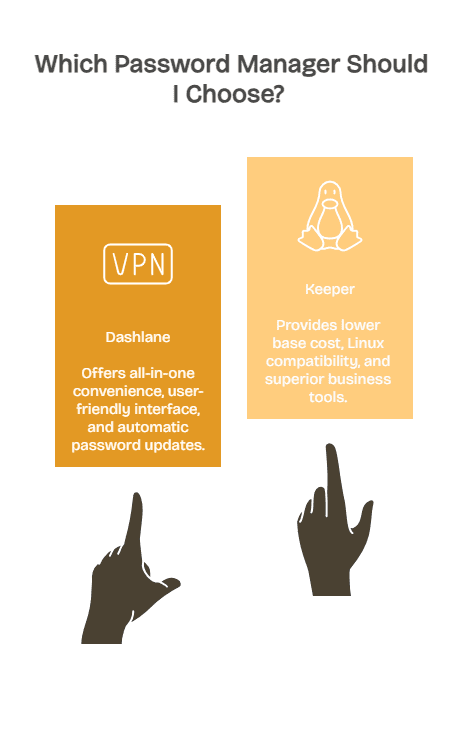
- All-In-One Convenience: Built-in VPN, dark web monitoring, and encrypted storage without managing multiple subscriptions
- User-Friendly Interface: Clean design prioritizing simplicity over customization options
- Automatic Password Updating: Change compromised credentials on supported sites with one click
- Large Family Coverage: Support for up to 10 family members at competitive per-user pricing
- 30-Day Money-Back Guarantee: Risk-free trial period for full refund if unsatisfied
Choose Keeper If You Prefer:
- Lower Base Cost: Pay only for features you need with à la carte add-ons
- Linux Compatibility: Native support for Ubuntu, Fedora, and other distributions
- Superior Business Tools: Advanced admin controls, role-based access, and compliance certifications
- 24/7 Support: Live chat assistance around the clock for urgent issues
- Larger File Storage: 10GB on Family plan vs. Dashlane’s 1GB limit
Choosing the Best Password Manager
Choosing between Dashlane and Keeper ultimately comes down to how you prefer to balance cost, convenience, and customization. Dashlane delivers stronger overall value for users who want a streamlined experience with built-in VPN access, dark web monitoring, and encrypted storage included at one price. Keeper remains the better fit for users who want lower upfront pricing, broader platform support, and the ability to pay only for the specific features they need. Both password managers provide zero-knowledge encryption, strong cross-platform apps, and reliable autofill performance, making them top-tier security tools for individuals and businesses. By understanding where their strengths differ, you can choose the manager that best supports your daily workflow and long-term digital security needs.
Secure your digital life with password managers that put your privacy first – explore Batten’s cybersecurity collection for expert-recommended tools that protect credentials without compromising convenience or transparency.
Frequently Asked Questions
Can I Import Passwords from My Browser to Dashlane or Keeper?
Yes, both password managers support importing from Chrome, Firefox, Safari, and Edge. Dashlane handles the process automatically in most cases, while Keeper provides detailed step-by-step guides for each browser. The import wizard identifies duplicate passwords and suggests consolidation during the transfer process.
Do Dashlane and Keeper Work Offline?
Both managers cache your vault locally for offline access on mobile and desktop apps. Keeper provides full offline functionality immediately, while Dashlane requires one internet-connected session to sync before enabling offline mode. Changes sync automatically when connectivity returns.
Which Password Manager Is Better for Business Use?
Keeper offers better value for small businesses with its $2/user/month Business Starter plan versus Dashlane’s $8/user/month. However, enterprises requiring comprehensive admin controls and compliance documentation should compare features carefully—Dashlane includes more standard while Keeper charges for add-ons that may total similar costs.
Does Dashlane Still Offer a Free Plan?
No, Dashlane discontinued its free plan in September 2025. The service now focuses entirely on paid subscriptions starting at $4.99/month. Keeper maintains a limited free tier allowing 10 passwords on mobile devices only, but lacks cloud backup and multi-device sync.
How Secure Is My Master Password with These Managers?
Both Dashlane and Keeper use zero-knowledge architecture – your master password never leaves your device and neither company can access it. They employ AES-256 encryption with PBKDF2 key derivation processing hundreds of thousands of iterations. Your data remains secure unless your master password is compromised. Enable two-factor authentication for additional protection.
Can I Share Passwords with Family Members on Both Platforms?
Yes, both managers support secure password sharing. Dashlane’s Family plan covers up to 10 users with individual vaults and selective item sharing. Keeper Family supports 5 users with shared folders and 10GB collaborative file storage. Both implementations allow granular permissions controlling who can view versus edit shared credentials.
Which Service Has Better Customer Support?
Keeper offers 24/7 live chat support for all paid users with 6-8 hour email response times. Dashlane limits live chat to Premium and Business subscribers, with 12-24 hour email responses. Keeper also provides phone support at 312-226-4782 for escalated issues. For urgent access problems, Keeper’s around-the-clock availability provides faster resolution.
Sources
- “Keeper vs Dashlane: Compare Password Managers 2025,” 2025, Keeper Security, https://www.keepersecurity.com/blog/2025/07/09/keeper-vs-dashlane-comparing-password-managers/
- “Keeper vs Dashlane: Which is the Winner in 2025?,” 2025, Cybernews, https://cybernews.com/best-password-managers/keeper-vs-dashlane/
- “Dashlane vs. Keeper: Which One Is Better in 2025?,” 2025, Safety Detectives, https://www.safetydetectives.com/blog/dashlane-vs-keeper/
- “Dashlane vs Keeper 2025: Latest Test Results,” 2025, WizCase, https://www.wizcase.com/blog/keeper-vs-dashlane/
- “Compare Dashlane personal plans,” 2025, Dashlane Support, https://support.dashlane.com/hc/en-us/articles/360001166969-Compare-Dashlane-personal-plans
- “Secure Password Management for Families and Individuals,” 2025, Keeper Security, https://www.keepersecurity.com/pricing/personal-and-family.html
- “Keeper Enterprise Password Manager and Privileged Access Management Pricing,” 2025, Keeper Security, https://www.keepersecurity.com/pricing/business-and-enterprise.html
- “Dashlane vs Keeper,” n.d., Keeper Security, https://www.keepersecurity.com/vs/dashlane.html
- “2025 Data Breach Investigations Report,” 2025, Verizon, https://www.verizon.com/business/resources/reports/dbir/
- “Keeper Security Update on Subscription Price Increase,” 2025, PriceTimeline, https://pricetimeline.com/news/31
SEO Title: Dashlane vs Keeper: Which Password Manager Wins in 2025?
Meta Description: Compare Dashlane and Keeper password managers on pricing, security, features, and value. Expert analysis shows which protects your credentials better.
URL Slug: dashlane-vs-keeper-comparison