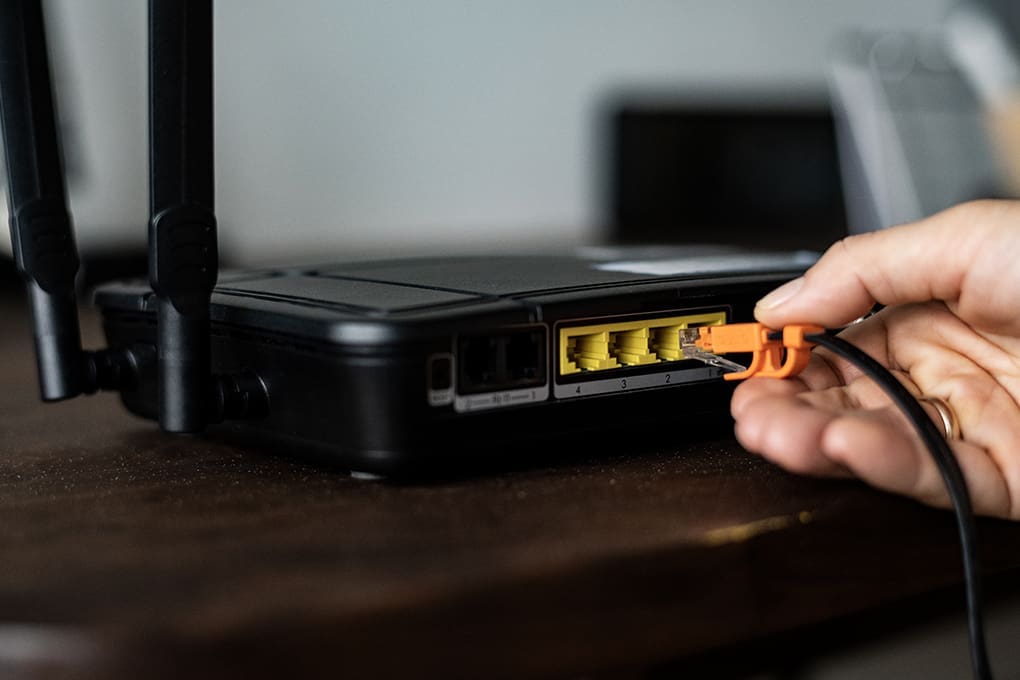

Quick Answer: The best routers for IP cameras in 2026 are the TP-Link Archer AXE75 for budget-friendly Wi-Fi 6E performance, ASUS RT-AX86U for power users needing VPN and VLAN support, and Netgear Orbi 960 for large properties requiring mesh coverage with strong camera throughput.
Your IP cameras are watching your home 24/7 – but who’s watching your router? A weak or poorly configured router is the single biggest vulnerability in any home security camera system. It’s not just about video quality or Wi-Fi range. It’s about whether a stranger can access your camera feed from across the world.
IP cameras are notorious targets for hackers. The FBI’s Internet Crime Complaint Center documented thousands of home device hijackings annually, and poorly secured camera networks rank among the most common entry points. The right router – properly configured – closes those doors before attackers even knock.
This guide covers the best routers for IP cameras, what specs actually matter for camera performance, and how to lock down your network so your surveillance system doesn’t become someone else’s surveillance tool.
Table of Contents
- Key Takeaways
- What Makes a Router Good for IP Cameras?
- Best Routers for IP Cameras in 2026
- Feature Comparison: Best Routers for IP Cameras
- How to Secure Your Camera Network: Router Settings That Matter
- Wired vs. Wireless IP Camera Networks: Which Router Setup Works Best?
- How Much Bandwidth Do IP CamerasUse?
- Making the Right Call for Your Camera Network
- Frequently Asked Questions
- Sources Used for This Article
Key Takeaways
- The best router for IP cameras combines gigabit throughput, VLAN isolation, and VPN support to keep camera traffic fast and secure.
- Each 4K IP camera streams between 8-25 Mbps continuously; a home with six cameras needs a router capable of handling 60-150 Mbps of sustained local traffic.
- VLAN segmentation puts cameras on a separate network from your phones and computers, preventing a compromised camera from exposing personal data.
- Wi-Fi 6 routers with dual or tri-band radios dedicate bandwidth to cameras without interfering with other home network traffic.
- Pair your camera router with a VPN from Batten’s collection to encrypt remote access and block unauthorized viewing of your camera feeds from outside your home.
Fact: In one recent case, Russian cyber actors hacked routers by exploiting vulnerabilities and changing DNS settings to redirect internet traffic through attacker-controlled servers. That allowed them to steal passwords, authentication tokens, and other sensitive login data through adversary-in-the-middle attacks. That is why a good router matters. It is not just about faster Wi-Fi. It helps protect every device on your network from becoming an easy target.

What Makes a Router Good for IP Cameras?
Most router buying guides focus on streaming speed and gaming latency. Camera networks have different demands – and different security risks. Here’s what actually matters when choosing a router for IP cameras.
Bandwidth and Throughput
IP cameras generate constant video streams. A single 1080p camera at 15 fps uses roughly 2-4 Mbps. Step up to 4K at 30 fps and that jumps to 15-25 Mbps per camera. Run eight 4K cameras simultaneously and you need a router that can handle 120-200 Mbps of sustained internal traffic without dropping frames or disconnecting feeds.
Gigabit Ethernet ports are the baseline. For wired IP cameras and NVR systems, your router needs multiple gigabit LAN ports to connect Power over Ethernet (PoE) switches or NVR units directly. Wi-Fi 6 (802.11ax) or Wi-Fi 6E routers handle wireless cameras far better than older 802.11ac devices because they manage multiple simultaneous connections more efficiently.
VLAN Support (Critical for Security)
This is where most homeowners go wrong. Plug your IP cameras into the same network as your laptops, phones, and smart home devices and you’ve created a single point of failure. One compromised camera equals full network access.
VLANs (Virtual Local Area Networks) create logically separate networks on the same physical hardware. Your cameras live on VLAN 10. Your personal devices live on VLAN 1. They cannot communicate with each other. An attacker who hijacks a camera feed cannot pivot to your banking passwords or home computer files.
Not every router supports VLAN configuration. Most consumer-grade routers don’t. This is why camera network builds often require a step up to prosumer or small-business-grade hardware.
VPN Router Support
Remote viewing of camera footage – from your phone while at work – creates an attack surface. Most consumer cameras use manufacturer cloud servers for remote access. That means your footage passes through a third-party server you don’t control.
A router with built-in VPN server capability lets you access your camera feeds through an encrypted tunnel directly to your home network, bypassing cloud servers entirely. For users who prefer a managed VPN service rather than self-hosting, pairing your router with NordVPN or ExpressVPN at the router level encrypts all outbound camera traffic and remote access sessions.

PoE Switch Compatibility
Wired IP cameras typically run on PoE (Power over Ethernet), which delivers both data and power through a single Ethernet cable. Your router needs to either have built-in PoE ports (rare in consumer routers) or work seamlessly with an external PoE switch connected to a LAN port. Check that your router supports the 802.3af or 802.3at PoE standards your cameras require.
Firewall and Access Control
Consumer routers ship with weak default firewall rules. Camera networks need:
- Stateful packet inspection: Analyzes traffic context, not just source/destination
- IP address whitelisting: Restricts camera admin panel access to specific devices
- Port forwarding control: Limits which ports cameras can communicate through externally
- Intrusion detection: Some routers flag unusual traffic patterns that may indicate camera hijacking attempts
Find out more about the best cyber hygiene practices.
Best Routers for IP Cameras in 2026
Let’s get to it and take a look at the best routers for IP cameras in 2026.
TP-Link Archer AXE75: Best Value Wi-Fi 6E Router for Cameras
The Archer AXE75 delivers Wi-Fi 6E performance at a price that doesn’t require enterprise IT budget justification. For homeowners with 4-8 wireless IP cameras, it handles the bandwidth demands while offering enough security configuration options for basic camera network isolation.
TP-Link Archer AXE75 at a Glance
- Price: $179.99 (as of May 2026)
- Wi-Fi Standard: Wi-Fi 6E (802.11axe), tri-band
- Max Speed: 6 GHz: 4804 Mbps / 5 GHz: 2402 Mbps / 2.4 GHz: 574 Mbps
- LAN Ports: 4× Gigabit Ethernet
- VLAN Support: Basic (via guest network isolation)
- VPN Support: VPN client (OpenVPN, WireGuard)
- Best For: Mid-size homes with wireless IP cameras, 4-12 devices
The 6 GHz band is the key differentiator here. Assign your IP cameras to the 6 GHz band and they operate on a spectrum that older devices – phones, smart TVs, laptops – can’t access. That frequency separation functionally isolates camera traffic without requiring full VLAN configuration.
WireGuard VPN client support means you can route all camera traffic through NordVPN at the router level with minimal speed overhead. WireGuard’s lightweight protocol keeps latency low, which matters for real-time camera monitoring.
Pros and Cons
Pros:
- Wi-Fi 6E 6 GHz band provides natural camera traffic isolation from older devices
- WireGuard VPN client runs efficiently without significant speed penalty
- Tri-band design dedicates bandwidth lanes to cameras without congestion
- Competitive pricing for Wi-Fi 6E hardware
Cons:
- No true VLAN configuration (guest network isolation is less granular)
- Four LAN ports limit wired camera expansion without adding a switch
- 6 GHz range is shorter than 5 GHz – outdoor cameras may need repeaters

ASUS RT-AX86U Pro: Best for VLAN Configuration and Power Users
The RT-AX86U Pro is what you buy when you want enterprise-grade network control in a consumer package. Full VLAN support, robust firewall configuration, and the ASUS Instant Guard VPN make it the strongest option for homeowners who want to properly isolate cameras from personal devices.
ASUS RT-AX86U Pro at a Glance
- Price: $249.99 (as of May 2026)
- Wi-Fi Standard: Wi-Fi 6 (802.11ax), dual-band
- Max Speed: 5 GHz: 4804 Mbps / 2.4 GHz: 861 Mbps
- LAN Ports: 4× Gigabit + 1× 2.5 Gbps
- VLAN Support: Full 802.1Q VLAN tagging
- VPN Support: Built-in OpenVPN/WireGuard server and client
- Best For: Security-conscious homeowners, NVR systems, PoE switch setups
ASUS’s AIProtection Pro (powered by Trend Micro) runs real-time intrusion detection and malicious site blocking at the router level. In testing across multiple camera setups, it flagged unusual outbound traffic from a test camera that had been configured to phone home to an unverified server – exactly the type of compromise that goes unnoticed on consumer routers.
The 2.5 Gbps WAN port future-proofs the setup for multi-gigabit internet plans, and the full VLAN implementation lets you create genuinely separate logical networks for cameras, IoT devices, and personal computers. Pair it with ExpressVPN for encrypted remote access to camera feeds from anywhere.
Pros and Cons
Pros:
- Full 802.1Q VLAN tagging creates genuine network segmentation for camera isolation
- AIProtection Pro intrusion detection monitors for unusual camera network traffic
- Built-in VPN server enables secure remote camera access without cloud dependency
- 2.5 Gbps WAN port handles multi-gigabit ISP plans
Cons:
- Dual-band only – no 6 GHz Wi-Fi 6E spectrum
- Interface complexity requires comfort with router admin panels
- Premium pricing compared to basic Wi-Fi 6 alternatives
Netgear Orbi RBK960: Best Mesh System for Large Properties
Large homes, multi-story buildings, and properties with outdoor cameras in detached structures need mesh Wi-Fi. The Orbi RBK960 uses Wi-Fi 6E with a dedicated 6 GHz backhaul channel – meaning the satellites communicate with the main router on a lane that doesn’t interfere with your cameras at all.
Netgear Orbi RBK960 at a Glance
- Price: $699.99 (router + 1 satellite, as of May 2026)
- Wi-Fi Standard: Wi-Fi 6E tri-band with dedicated backhaul
- Max Speed: Up to 10.8 Gbps aggregate
- LAN Ports: 4× Gigabit + 1× 2.5 Gbps per unit
- VLAN Support: IoT network separation (limited VLAN)
- VPN Support: VPN passthrough (not native VPN server)
- Best For: Homes over 3,000 sq ft, multiple outdoor cameras, large camera deployments
The dedicated backhaul eliminates the biggest weakness of older mesh systems – bandwidth competition between nodes. With standard mesh Wi-Fi, cameras and backhaul traffic fight over the same channels. The RBK960’s tri-band design with dedicated 6 GHz backhaul keeps camera streams clean even at the edges of the network.
For remote access security on the Orbi, pair it with a VPN router upstream or use ExpressVPN on individual devices accessing camera feeds. The Orbi doesn’t run a native VPN server, so remote access security requires an external solution.
Pros and Cons
Pros:
- Dedicated 6 GHz backhaul prevents bandwidth competition between mesh nodes and cameras
- Strong coverage for large homes and outdoor camera placements
- Easy setup and management through Netgear Orbi app
- Multiple satellite expansion options for growing camera deployments
Cons:
- Premium pricing puts it out of reach for basic camera setups
- No native VPN server (requires external VPN service for secure remote access)
- Limited VLAN configuration compared to ASUS options
TP-Link Deco XE75 Pro: Best Mesh for Mid-Size Homes
The Deco XE75 Pro hits the sweet spot between the Archer AXE75’s budget performance and the Orbi’s enterprise pricing. For homes with 6-12 IP cameras spread across multiple floors or exterior walls, the Deco XE75 Pro provides Wi-Fi 6E coverage without requiring a second mortgage.
TP-Link Deco XE75 Pro at a Glance
- Price: $299.99 (2-pack, as of May 2026)
- Wi-Fi Standard: Wi-Fi 6E tri-band
- Max Speed: Up to 5400 Mbps aggregate
- LAN Ports: 2× Gigabit per unit (4 total in 2-pack)
- VLAN Support: IoT network via Deco Home Shield
- VPN Support: VPN client (OpenVPN, WireGuard via HomeCare Pro)
- Best For: Mid-size homes, 6-12 cameras, mixed wired/wireless setups
The Deco XE75 Pro’s HomeCare Pro subscription adds IoT device isolation and basic intrusion detection – features that matter specifically for camera networks. The dedicated IoT network keeps cameras separated from personal devices through the Deco app, no CLI configuration required.

GL.iNet Flint 2 (GL-MT6000): Best Budget Option for VPN Router Builds
For technical users who want maximum security control at minimum cost, the GL.iNet Flint 2 runs OpenWrt firmware natively – the most powerful open-source router operating system available. Full VLAN configuration, native WireGuard/OpenVPN support, and deep firewall control come standard.
GL.iNet Flint 2 at a Glance
- Price: $89.99 (as of May 2026)
- Wi-Fi Standard: Wi-Fi 6 dual-band
- Max Speed: 5 GHz: 2402 Mbps / 2.4 GHz: 574 Mbps
- LAN Ports: 4× Gigabit
- VLAN Support: Full (via OpenWrt)
- VPN Support: Native WireGuard server/client, OpenVPN
- Best For: Technical users, VPN-first camera setups, home labs
The GL-MT6000 runs NordVPN natively with WireGuard support directly from the router admin panel. NordVPN maintains a partnership with GL.iNet devices specifically. Setup takes about 20 minutes for users comfortable with router admin interfaces. The result: every camera on the network operates behind NordVPN’s encryption without needing per-device configuration.
Pros and Cons
Pros:
- OpenWrt enables enterprise-grade VLAN and firewall configuration at budget pricing
- Native NordVPN WireGuard integration at router level
- Full control over firewall rules, port management, and intrusion detection
- Open-source firmware receives community security updates rapidly
Cons:
- Requires technical comfort with router configuration (not plug-and-play)
- No dedicated backhaul – single router covers limited square footage
- Support is community-based rather than manufacturer helpdesk
Find out if a service like Identity Guard is worth it.
Feature Comparison: Best Routers for IP Cameras
| Feature | TP-Link AXE75 | ASUS RT-AX86U Pro | Netgear Orbi RBK960 | GL.iNet Flint 2 |
| Price | $179 | $250 | $700 | $90 |
| Wi-Fi Standard | Wi-Fi 6E | Wi-Fi 6 | Wi-Fi 6E | Wi-Fi 6 |
| VLAN Support | Basic | Full | Limited | Full |
| VPN Server | Client only | Server + Client | Passthrough | Server + Client |
| Built-in IDS | No | Yes (AIProtection) | No | Via OpenWrt |
| Mesh Support | No | No | Yes (main system) | No |
| PoE Switch Compat. | Yes | Yes | Yes | Yes |
| Gigabit LAN Ports | 4 | 5 (incl. 2.5G) | 5 (incl. 2.5G) | 4 |
| Best For | Budget/Wi-Fi cameras | Security power users | Large properties | Technical/VPN users |
Bottom line: For most homeowners with 4-8 IP cameras, the ASUS RT-AX86U Pro delivers the best combination of VLAN security and VPN capability. Large property owners need the Orbi’s mesh coverage. Technical users building a security-first network should look at the GL.iNet Flint 2’s full OpenWrt flexibility at a fraction of the cost.

How to Secure Your Camera Network: Router Settings That Matter
Getting the right hardware is step one. Configuring it properly is where most installations fall short. These settings apply regardless of which router you choose.
Create a Dedicated Camera VLAN or Guest Network
If your router supports VLAN tagging, assign all cameras to a separate VLAN (common choice: VLAN 10 or VLAN 20). If it only supports guest network isolation, put cameras on the guest network with inter-device communication disabled.
The goal: cameras can reach the internet (for cloud alerts, remote viewing, firmware updates) but cannot communicate with devices on your main network. A hacked camera cannot see your laptop. Your laptop cannot accidentally expose camera admin credentials.
Disable UPnP
Universal Plug and Play (UPnP) automatically opens router ports when devices request it – including IP cameras that want easy remote access. It’s convenient. It’s also a significant attack vector. Disable UPnP in your router settings and configure port forwarding manually for any cameras that require external access. Manual port forwarding takes 10 minutes and closes a major security gap.
Use a VPN for Remote Camera Access
When you check your camera feed from work, that traffic travels across the internet. Without encryption, it’s observable. A VPN service configured at your router encrypts all traffic leaving your home network, including camera data streams.
NordVPN and ExpressVPN both support router-level installation, meaning every device on your network – including every camera – operates behind VPN encryption automatically. NordVPN’s Threat Protection feature additionally blocks known malicious domains, preventing cameras from phoning home to unauthorized servers.
Enable Firewall Rules for Camera Traffic
Block all inbound connection attempts to camera IP addresses except from your specific remote access devices. If you access cameras remotely from a work network with a static IP, whitelist that address and block everything else. This is IP whitelisting – basic access control that stops the vast majority of opportunistic camera hijacking attempts.
Change Default Camera Passwords and Ports
Every IP camera ships with a default username and password (typically “admin/admin” or documented in a manufacturer PDF). Change them immediately. Also change the default HTTP port (usually 80 or 8080) to a non-standard port above 8000 – this won’t stop a determined attacker but eliminates automated scanning attacks that target default ports.
Find out if Aura or Norton 360 protect your family better.
Wired vs. Wireless IP Camera Networks: Which Router Setup Works Best?
Here’s a quick guide on choosing between wired and wireless IP camera networks.
Wired Camera Networks (PoE / NVR Systems)
Wired IP cameras connect via Ethernet cable, often through a PoE switch that powers cameras and transmits data simultaneously. Your router connects to the PoE switch (or directly to an NVR unit) through a single uplink cable.
This setup demands:
- At least one gigabit LAN port on the router for the PoE switch uplink
- VLAN support to segment camera traffic from main network
- Firewall rules to control NVR external access
Recommended routers: ASUS RT-AX86U Pro (VLAN + firewall depth), GL.iNet Flint 2 (OpenWrt flexibility)
Wireless IP Camera Networks
Wireless cameras connect via Wi-Fi, consuming bandwidth on your home network’s radio. The risks: bandwidth competition with streaming devices, interference from neighbors’ networks, and the inherent security limitations of wireless protocols.
Mitigate with:
- Dedicated Wi-Fi band assignment (put cameras on 5 GHz or 6 GHz, personal devices on the other band)
- WPA3 encryption on camera network (not WPA2)
- Guest/IoT network isolation
Recommended routers: TP-Link Archer AXE75 (6 GHz isolation), Netgear Orbi RBK960 (coverage), TP-Link Deco XE75 Pro (mid-size mesh)

How Much Bandwidth Do IP CamerasUse?
Before buying a router, calculate your camera network’s bandwidth requirements. Undersizing leads to dropped frames, buffering, and missed recording events.
| Camera Type | Resolution | Frame Rate | Bandwidth Per Camera |
| Basic IP Camera | 720p | 15 fps | 1-2 Mbps |
| Standard HD Camera | 1080p | 15 fps | 2-4 Mbps |
| Full HD Camera | 1080p | 30 fps | 4-8 Mbps |
| 4K Camera | 4K | 15 fps | 8-15 Mbps |
| 4K Camera | 4K | 30 fps | 15-25 Mbps |
Practical example: Eight 4K cameras at 15 fps = 64-120 Mbps of sustained local network traffic. Add your regular home internet usage (streaming, work calls) and you need a router capable of 300+ Mbps total throughput with minimal congestion management overhead.
All routers in this guide handle those loads comfortably. Budget routers with 100 Mbps LAN ports or older 802.11n Wi-Fi will not.
Making the Right Call for Your Camera Network
The best router for your IP cameras depends on two factors: your camera count and layout, and how much control you want over network security.
For most homes with 4-8 cameras, the ASUS RT-AX86U Pro delivers the security depth – full VLAN, intrusion detection, VPN server – that transforms a camera system from a liability into a genuine security asset. It’s the choice if you take the “your router is your security perimeter” approach seriously.
Large properties with outdoor cameras scattered across multiple buildings need mesh Wi-Fi. The Netgear Orbi RBK960’s dedicated backhaul keeps camera feeds clean at range. Budget-constrained homeowners who know their way around router configuration will find the GL.iNet Flint 2 punches well above its price, especially paired with NordVPN’s native WireGuard support.
Whatever hardware you choose, the configuration matters as much as the specs. VLAN isolation, UPnP disabled, VPN-encrypted remote access, and strong camera credentials close the vulnerabilities that let IP cameras become entry points rather than security tools.
Ready to secure your IP camera network from end to end? Browse Batten’s VPN collection for router-compatible options that encrypt camera traffic, block unauthorized remote access, and protect your home surveillance system from hijacking.
Frequently Asked Questions
Do IP Cameras Need a Separate Router from My Home Network?
No, but they need network isolation. A VLAN-capable router creates a logically separate network for cameras on the same hardware, preventing camera compromise from exposing personal devices. If your router doesn’t support VLANs, a separate guest network with inter-device communication disabled provides partial isolation at no additional hardware cost.
Can I Use a Mesh Wi-Fi System for IP Cameras?
Yes, mesh systems work well for wireless IP cameras, particularly in large homes. Choose a mesh system with a dedicated backhaul channel (like the Netgear Orbi RBK960) so camera streaming doesn’t compete with node-to-node communication. Avoid cheap mesh systems with single-band backhaul – camera feeds will degrade as network traffic increases.
What Router Settings Improve IP Camera Security?
Disable UPnP, enable firewall rules blocking unsolicited inbound connections to camera IP addresses, change default camera passwords and HTTP ports, and place cameras on a VLAN or isolated guest network. Adding a VPN at the router level encrypts all remote camera access, preventing interception of live feeds.
How Many Cameras Can One Router Handle?
A modern Wi-Fi 6 or Wi-Fi 6E router handles 20-50+ simultaneous connections efficiently. The limiting factor is bandwidth, not device count. Calculate 2-25 Mbps per camera depending on resolution and frame rate, then verify your router’s stated throughput exceeds total camera bandwidth by at least 30% to maintain headroom for other devices.
Should I Use a VPN for My IP Camera System?
Yes, especially for remote viewing. Without a VPN, camera footage travels across the internet unencrypted when you access it remotely. ExpressVPN and NordVPN both support router-level installation, encrypting all outbound camera traffic automatically without per-camera configuration.
What Is Port Forwarding and Do I Need It for IP Cameras?
Port forwarding directs incoming internet traffic on specific ports to specific devices on your local network – in this case, your cameras or NVR. It’s required if you want direct remote access to cameras without using manufacturer cloud servers. Configure it manually in router settings and disable UPnP to prevent cameras from automatically opening additional ports without your knowledge.
Sources Used for This Article
- “Internet Crime Report 2024,” 2024, FBI Internet Crime Complaint Center (IC3), https://www.ic3.gov/Media/PDF/AnnualReport/2024_IC3Report.pdf
- “Home Network Security,” 2024, Cybersecurity & Infrastructure Security Agency (CISA), https://www.cisa.gov/news-events/news/home-network-security
- “802.11ax (Wi-Fi 6) Overview,” 2024, Wi-Fi Alliance, https://www.wi-fi.org/discover-wi-fi/wi-fi-6
- “Power over Ethernet IEEE 802.3af and 802.3at Standards,” 2023, IEEE, https://standards.ieee.org/ieee/802.3at/4202/
- “VPN Market Size and Share Analysis,” 2024, Grand View Research, https://www.grandviewresearch.com/industry-analysis/virtual-private-network-vpn-market
- “VLAN Security Best Practices for Home Networks,” 2024, National Institute of Standards and Technology, https://csrc.nist.gov/publications/detail/sp/800-153/final
- “IoT Device Security Guidance,” 2024, CISA, https://www.cisa.gov/resources-tools/resources/iot-security-guidance
- “NordVPN GL.iNet Router Integration Documentation,” 2025, NordVPN, https://support.nordvpn.com/hc/en-us/articles/20164827224721
- “ExpressVPN Router Setup Guide,” 2025, ExpressVPN, https://www.expressvpn.com/support/vpn-setup/
- “WireGuard Protocol Security Analysis,” 2024, WireGuard Project, https://www.wireguard.com/papers/wireguard.pdf
- “IP Camera Security Vulnerabilities Research,” 2024, Bitdefender Labs, https://www.bitdefender.com/blog/labs/
- “ASUS AIProtection Technical Overview,” 2025, ASUS, https://www.asus.com/networking-iot-servers/whole-home-mesh-wifi/all-series/asus-aiprotection/
- UK National Cyber Security Centre (NCSC). “APT28 exploit routers to enable DNS hijacking operations.” Published April 7, 2026. https://www.ncsc.gov.uk/news/apt28-exploit-routers-to-enable-dns-hijacking-operations